This product was not featured by Product Hunt yet. It will not be visible on their landing page and won't be ranked (cannot win product of the day regardless of upvotes).
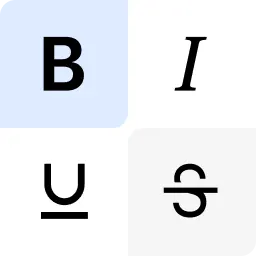
Chrome extension that adds a floating toolbar right inside LinkedIn, X, Threads, and more, plus a pop-up window to always have it at hand and a side panel for writing long-form next to any site. Select text, pick a style, done. Features 20+ Unicode font styles (bold, italic, strikethrough and more), Smart Paste from Google Docs and Word, live post preview across platforms, drafts with folders and tags, and AI proofreading & auto-styling via your own OpenRouter key.
Hey Product Hunt Community! 👋
We built Post Formatter because posts on LinkedIn lack personality and look the same – no bold, no italic, no nothing. LinkedIn doesn't let you format text natively. Post Formatter fixes that.
The extension adds a floating toolbar that appears when you select text, anywhere on LinkedIn, X, Threads, and other social networks. Unicode-based, so formatting actually renders for everyone who reads it.
We'd love to hear: do you format your LinkedIn posts? What tools do you use?
And we will be happy if you give our tool a try! 😊
One thing worth flagging about the Unicode approach: those bold/italic "styles" are actually separate Unicode codepoints that just visually resemble bold and italic letters, they're not semantic formatting. Screen readers often don't recognize them as normal text and either skip them, spell them out letter by letter, or garble the pronunciation. For a tool aimed at LinkedIn specifically, that's a real accessibility gap for anyone in your audience using a screen reader. Is that something you've tested against, or a known tradeoff for now?
I like the tool - have spend a lot of resources on LI design and not the most efficient. Is there an agentic/ autopilot version planned ?
Ah now this is interesting. I genuinely didn't even know it was possible to add formatting to LinkedIn posts. Have just tried it for myself and it worked perfectly. Have you had any feedback about whether LinkedIn would have an issue with people adding formatting? I presume they have deliberately chosen to keep text plain? That being said, I certainly plan to use it myself! Congratulations on your launch.
@ashimanski Congratulations. And happy product launch.
A keyboard shortcut to toggle the floating toolbar on and off would be huge, especially since I switch between writing and editing modes a lot. Maybe even letting users customize the shortcut themselves would make it feel much more native to their workflow.
The floating toolbar that lives inside the LinkedIn composer is honestly really well done, feels like it was designed to not get in the way. Also love that you can bring your own OpenRouter key instead of being locked into some weird credit system.
About Post Formatter on Product Hunt
“Format LinkedIn posts with bold, italics & more”
Post Formatter was submitted on Product Hunt and earned 49 upvotes and 16 comments, placing #25 on the daily leaderboard. Chrome extension that adds a floating toolbar right inside LinkedIn, X, Threads, and more, plus a pop-up window to always have it at hand and a side panel for writing long-form next to any site. Select text, pick a style, done. Features 20+ Unicode font styles (bold, italic, strikethrough and more), Smart Paste from Google Docs and Word, live post preview across platforms, drafts with folders and tags, and AI proofreading & auto-styling via your own OpenRouter key.
Post Formatter was featured in Chrome Extensions (52.9k followers), Productivity (664.8k followers) and Writing (59.4k followers) on Product Hunt. Together, these topics include over 205.4k products, making this a competitive space to launch in.
Who hunted Post Formatter?
Post Formatter was hunted by Yana Shimanskaya. A “hunter” on Product Hunt is the community member who submits a product to the platform — uploading the images, the link, and tagging the makers behind it. Hunters typically write the first comment explaining why a product is worth attention, and their followers are notified the moment they post. Around 79% of featured launches on Product Hunt are self-hunted by their makers, but a well-known hunter still acts as a signal of quality to the rest of the community. See the full all-time top hunters leaderboard to discover who is shaping the Product Hunt ecosystem.
Want to see how Post Formatter stacked up against nearby launches in real time? Check out the live launch dashboard for upvote speed charts, proximity comparisons, and more analytics.

 Yana Shimanskaya