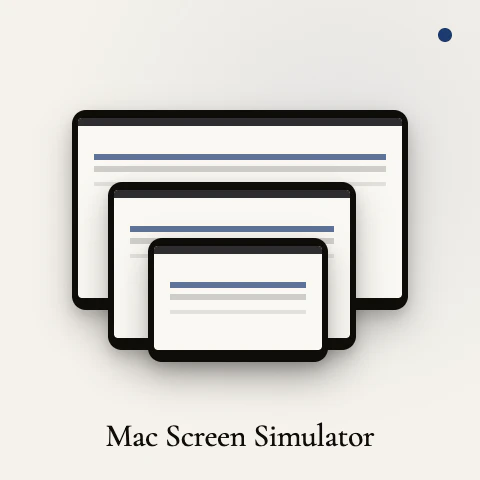
Paste any URL. See it rendered across all six common Mac display sizes — MacBook Air 13 and 15, MacBook Pro 14 and 16, iMac 24, and Studio Display 5K — stacked, scaled, and labeled. The notch and menu bar are where Apple puts them, so what you see matches a real fullscreen browser. Single HTML file. No signup, no tracking, no build step. Works with localhost. Download once and it runs offline forever.
I'm Wilfredo. I designed on a 15-inch MacBook Air for years and kept getting bug reports from teammates about how things looked on their 14-inch Pros and 27-inch Studio Displays. Every responsive testing tool I tried was built around mobile breakpoints. This one isn't. It's just the Mac displays I actually work across, side by side, properly scaled, with the notch and menu bar where they should be.
It's a single HTML file. No signup, no tracking, no build step. Click Download and it runs offline forever. Localhost works too, so you can preview your dev server at every Mac size before you ship.
If you've ever pushed a layout and discovered the Studio Display version looks completely different from your laptop, this is for you. Free.
Open to feedback on what's missing. More displays? Custom dimensions?
Side-by-side compare with a reference URL?
No comment highlights available yet. Please check back later!
About MacSIM by Studio Practice on Product Hunt
“Preview any URL on every Mac screen at once”
MacSIM by Studio Practice launched on Product Hunt on May 27th, 2026 and earned 68 upvotes and 1 comments, placing #27 on the daily leaderboard. Paste any URL. See it rendered across all six common Mac display sizes — MacBook Air 13 and 15, MacBook Pro 14 and 16, iMac 24, and Studio Display 5K — stacked, scaled, and labeled. The notch and menu bar are where Apple puts them, so what you see matches a real fullscreen browser. Single HTML file. No signup, no tracking, no build step. Works with localhost. Download once and it runs offline forever.
MacSIM by Studio Practice was featured in Design Tools (262.2k followers), Developer Tools (518.5k followers) and Apple (15.6k followers) on Product Hunt. Together, these topics include over 130.5k products, making this a competitive space to launch in.
Who hunted MacSIM by Studio Practice?
MacSIM by Studio Practice was hunted by wilfredo. A “hunter” on Product Hunt is the community member who submits a product to the platform — uploading the images, the link, and tagging the makers behind it. Hunters typically write the first comment explaining why a product is worth attention, and their followers are notified the moment they post. Around 79% of featured launches on Product Hunt are self-hunted by their makers, but a well-known hunter still acts as a signal of quality to the rest of the community. See the full all-time top hunters leaderboard to discover who is shaping the Product Hunt ecosystem.
Want to see how MacSIM by Studio Practice stacked up against nearby launches in real time? Check out the live launch dashboard for upvote speed charts, proximity comparisons, and more analytics.

 wilfredo