Droppy combines 5 essential productivity tools into one macOS app: 🗂️ Notch Shelf - Files snap into your MacBook's notch 🧺 Floating Basket - Summon with a mouse jiggle 📋 Clipboard Manager - History with OCR 🎵 Media Player - Now Playing in your notch 🔊 Custom HUDs - Volume/brightness overlays Free & Open Source forever.
Hey Product Hunt! 👋
I'm Jordy, and I built Droppy because I wanted to make the MacBook notch actually useful. What started as a simple file shelf has evolved into a complete productivity suite.
Droppy is completely free and open source (MIT license). No subscriptions, no paywalls - just a tool built with love for the macOS community.
Key features:
• Notch Shelf - Use the space around your webcam to store files temporarily
• Floating Basket - Jiggle your mouse while dragging to summon a drop zone anywhere
• Clipboard Manager - Full history with OCR text extraction
• Media Player - Now Playing controls right in your notch
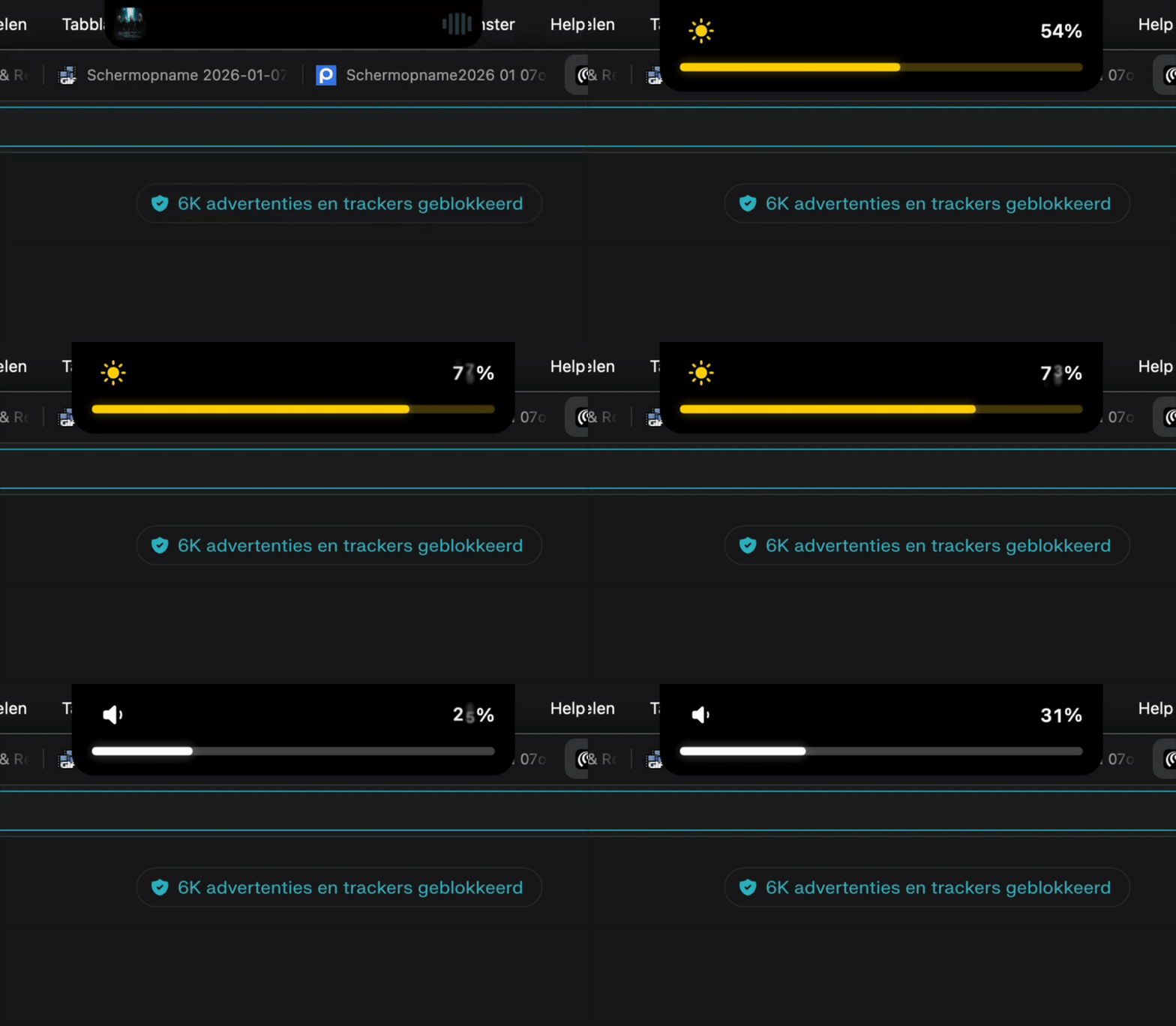
• Custom HUDs - Beautiful volume/brightness overlays
Would love to hear your feedback and answer any questions!
Since 4.9.3 - Droppy enables native integration with Alfred. Select files in your finder, invoke Alfred, and send them directly to Droppy with a single keystroke.
Finally, a clipboard manager that doesn't feel cluttered. The 'Notch Shelf' concept is a very clever use of screen real estate. Is there a shortcut to toggle the shelf visibility, or does it only appear when dragging a file?
🎉 Droppy 4.8 is here! Massive update with Battery HUD, Native Updater, RAM/CPU optimizations & more!
Hi again! It's been an incredible sprint of updates since 4.6 and I wanted to share everything that's new. This is probably the biggest quality-of-life update yet!
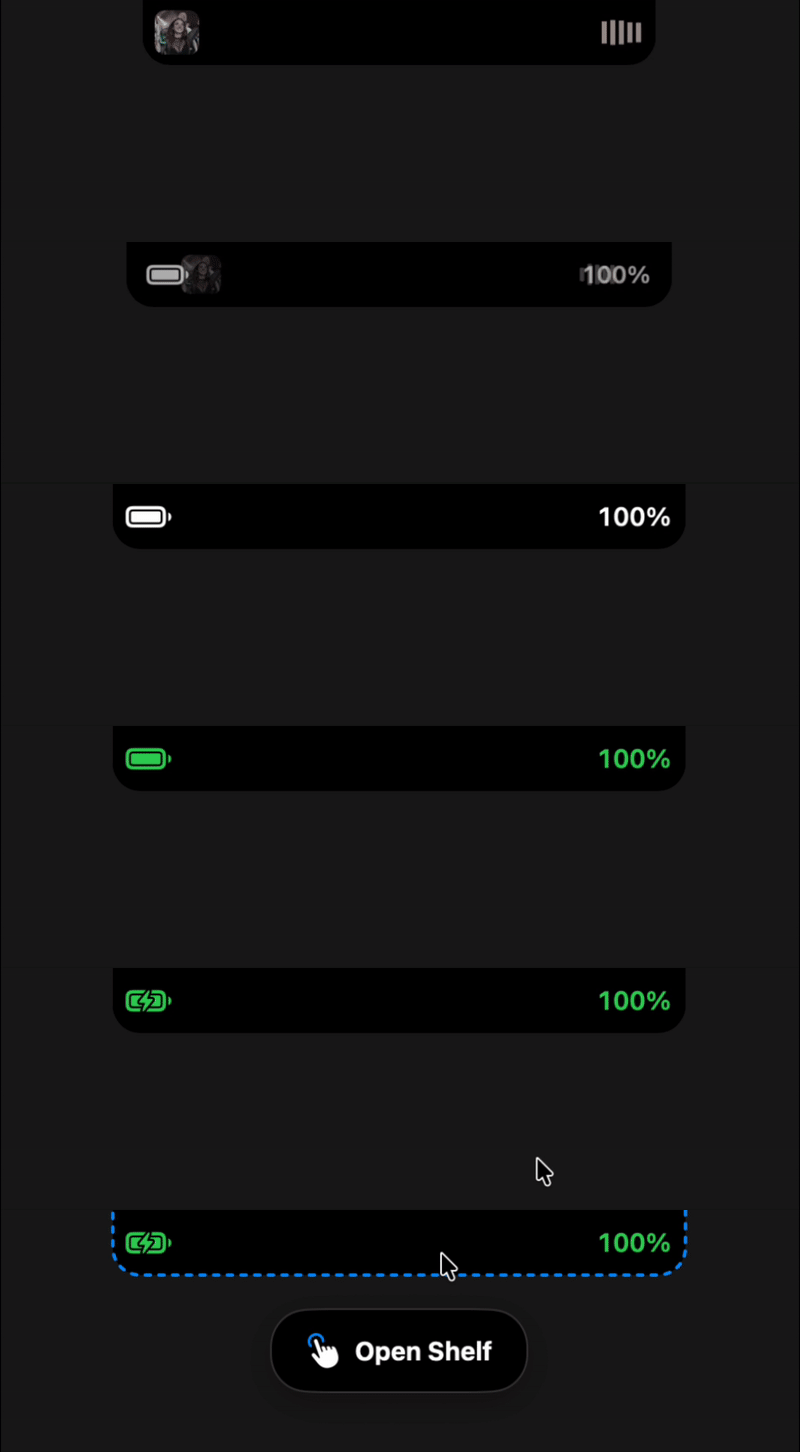
⚡ NEW: Battery Charging HUD
When you plug in or unplug your charger, Droppy now shows a beautiful battery indicator right in the notch!
Green pulsing glow when charging
Orange warning for low battery
Seamlessly integrates with the existing volume/brightness HUDs
(Battery HUD follows the same design as volume/brightness)
🎨 Native DroppyUpdater
No more ugly Terminal windows! Updates now show in a beautiful native macOS window:
Animated progress with checkmarks for each step
Confetti celebration when update completes 🎊
Green "Launch Droppy" button when ready
Falls back gracefully if anything goes wrong
🚀 Massive Performance Improvements
RAM Usage (Down 80%+!)
Images now stored on disk instead of in memory
Lazy loading - only loads what you see
Thumbnail caching with LRU eviction
Went from 2.9GB with large clipboard to ~400MB
CPU Usage
Removed expensive hover animations that caused layout recalculations
Async thumbnail loading prevents main thread blocking
Optimized scrolling in clipboard manager
Canvas-based confetti (60fps, no lag)
🎵 Polished Media Player
The expanded media player got serious attention:
Pixel-perfect padding - Album art, timestamps, and controls now align consistently on all edges
Smooth transitions - Symmetric animations when switching between media player and drop zone
Slider interactions - Track expands and glows when dragging
🔧 Other Improvements
macOS 14 compatibility - Graceful degradation for older systems
Fixed Brightness HUD false triggers - No more random HUD popups when plugging in power
Swift 6 compatibility - Cleaned up async/await warnings
Consistent transitions - All view switches now animate the same way
🐛 Bug Fixes
Auto-update quarantine issues completely resolved
"Cleaning up" spinner no longer stays visible after update
“Notch Shelf, Floating Basket & Clipboard Manager for macOS”
Droppy launched on Product Hunt on January 7th, 2026 and earned 94 upvotes and 8 comments, placing #14 on the daily leaderboard. Droppy combines 5 essential productivity tools into one macOS app: 🗂️ Notch Shelf - Files snap into your MacBook's notch 🧺 Floating Basket - Summon with a mouse jiggle 📋 Clipboard Manager - History with OCR 🎵 Media Player - Now Playing in your notch 🔊 Custom HUDs - Volume/brightness overlays Free & Open Source forever.
Droppy was featured in Mac (103.8k followers), Productivity (663.2k followers), Open Source (68.9k followers) and GitHub (41.4k followers) on Product Hunt. Together, these topics include over 228.2k products, making this a competitive space to launch in.
Want to see how Droppy stacked up against nearby launches in real time? Check out the live launch dashboard for upvote speed charts, proximity comparisons, and more analytics.