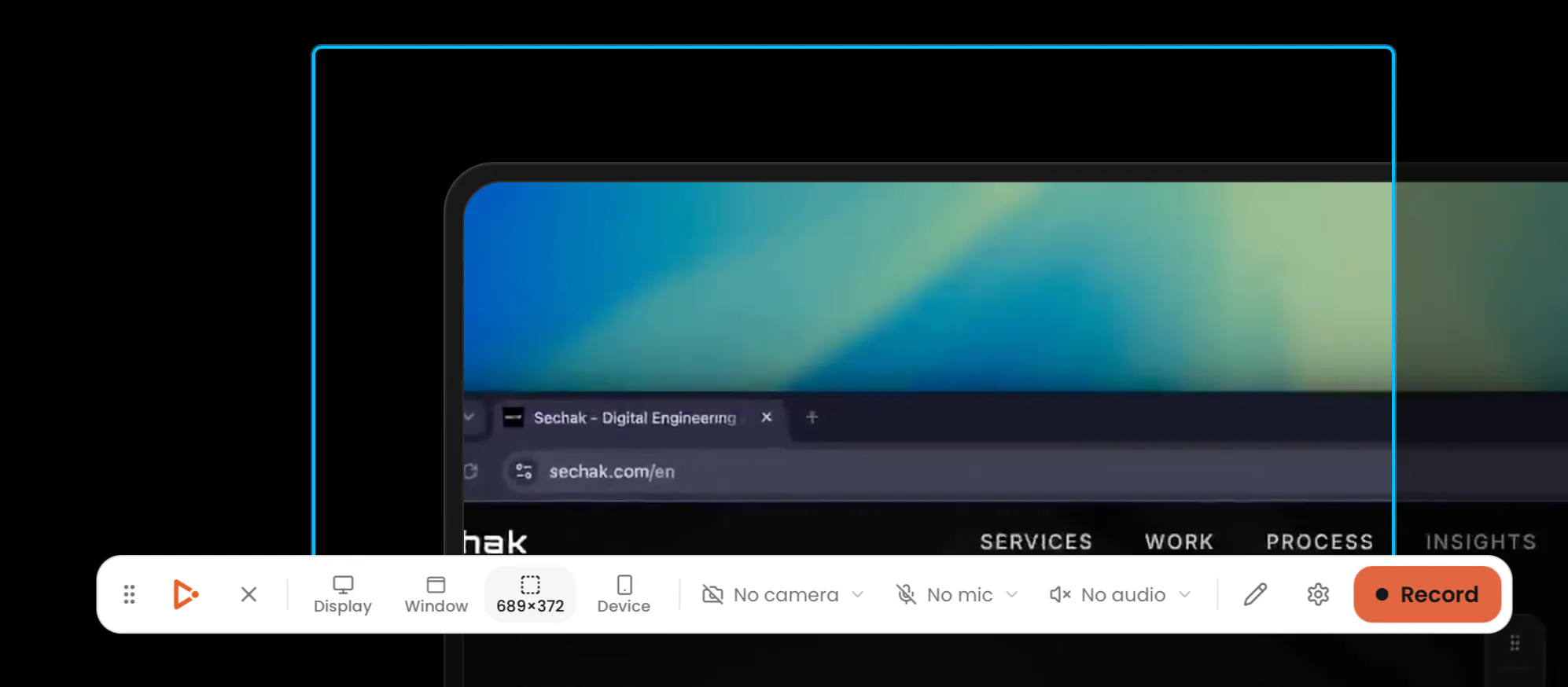
Capptivo is a free, open-source screen recorder and demo editor for macOS, Windows, and Linux. Record locally, add follow-cursor zooms, polish the look, burn on-device captions, and export, no account, no subscription. Give your demos the spotlight they deserve.
Hey everyone, Abdessamad here 👋
I'm a maker who got tired of paying monthly for polished demo videos — and every tool I tried either didn't quite fit how I work or was missing something I needed, like draw-on-screen annotations: a pen, a highlighter, a way to point at the thing I'm actually talking about.
So I built Capptivo for myself. Record on macOS, Windows, or Linux, then polish in the editor: follow-cursor zoom, click-based auto-zooms, editor presets, face-cam, on-device captions, and draw-on-screen annotations pen, highlighter, and shapes you can lay over the screen mid-recording to point at exactly what matters. Create stunning screen recordings in seconds, not hours your demos practically make themselves.
Capptivo isn't a clone of Screen Studio or Cursorful. Every feature was built from my own workflow and the problems. I'm now open-sourcing it under the MIT License so anyone can use it, improve it, customize it, or build on top of it without restrictions.
No more paying $29/month just to ship a clean product video.
It's early and I'm building it mostly solo, so I'd genuinely love your honest feedback. What would make this actually useful for your demos? What am I missing vs the tools you already use? Happy to answer anything and contributions are always welcome 🙏.
MIT-licensed and no account required is the right answer to the subscription fatigue in this category. I build demo videos for client work fairly often, the cursor auto-zoom and on-device caption burn alone save me a trip to a paid tool. How's Wayland support on Linux, that's usually where screen recorders fall apart.
Amazing ! Is anyone interested in this thing but for mobile websites/pwa ? You record in a responsive view with a phone frame, or no frame, and the cursor being changed to a finger.
it is amazing, thanks !!
2 suggestions: (a) delete parts of the video , like on the middle of it.(b) add mic options, like increase/decrease volume, reduce noise, etc. :)
This looks pretty straightforward! Could I use it to record a demo video of my startup for Product Hunt? And can I record my own voice as the narration over the video?
Wish I saw this yesterday while recording my demo video :(. Incredible work!
Since everything is local with no account, the thing I'd want to know before trusting it with a long demo: if the app crashes or the machine sleeps mid-recording, is there any autosave of what's already captured, or does a crash lose the whole take? That's usually the moment people switch tools permanently, right after losing twenty minutes of a good recording.
Open-source cross-platform screen recorders exist, OBS being the obvious one, and demo-specific tools like Loom and Tella own the polished-output segment. What's Capptivo's actual target user, someone who finds OBS too complex and Loom too subscription-heavy, and if so what's the specific feature or workflow that makes Capptivo a better fit for that person than something like Kap or Rottenwood which also target simpler Mac recording?
The fact that Capptivo is open-source and has no account or subscription requirements is a huge win - really lowers the barrier for creators to make high-quality demos without added hassle.
Good timing — I just skipped the video/demo field on my own Product Hunt draft because I didn't have a clean way to record one without a subscription tool. The click-based auto-zoom and local processing (no cloud upload for an unreleased product) are exactly what I'd want for a quick product demo. Does the caption burning work well with narration you record separately, or is it built around live mic capture during the recording itself?
This seems to be a bug. After selecting the recording area, the application became completely unresponsive—I couldn't start the recording or even close the window. I had to restart my computer twice to resolve the issue.
this is amazing dude! gonna use it for all my product launches going forward :)
Great work Abdessamad.. hats off for building this solo.. something like this is needed.. current functions look great.. will wait for screen in screen features.. good wishes for your success..
love seeing more open source tools like this. the fact that everything runs locally with no account or subscription is a huge plus. Congrats on the launch!
The on-device captions are the thing I'd actually use here, the cloud ones get awkward when the demo shows unreleased screens. Does the caption layout follow the export frame though? I crop demos down to 9:16 a lot and burned text is always the first thing that gets chopped.
Nice app. Can you use Capptivo with previously recorded videos? Or does it need to be recorded in Capptivo?
Love that captions are burned on-device, keeping demos private while still looking polished is a smart touch.
Congrats on the launch!
I switched from Screen Studio to Recordly. What sets this apart from Recordly?
I'm gonna give this a try later! I use CleanShot right now to do this kind of thing since it's a one-time-payment model. However, it doesn't let me easily annotate on the video like this promises and that's the standout feature to me.
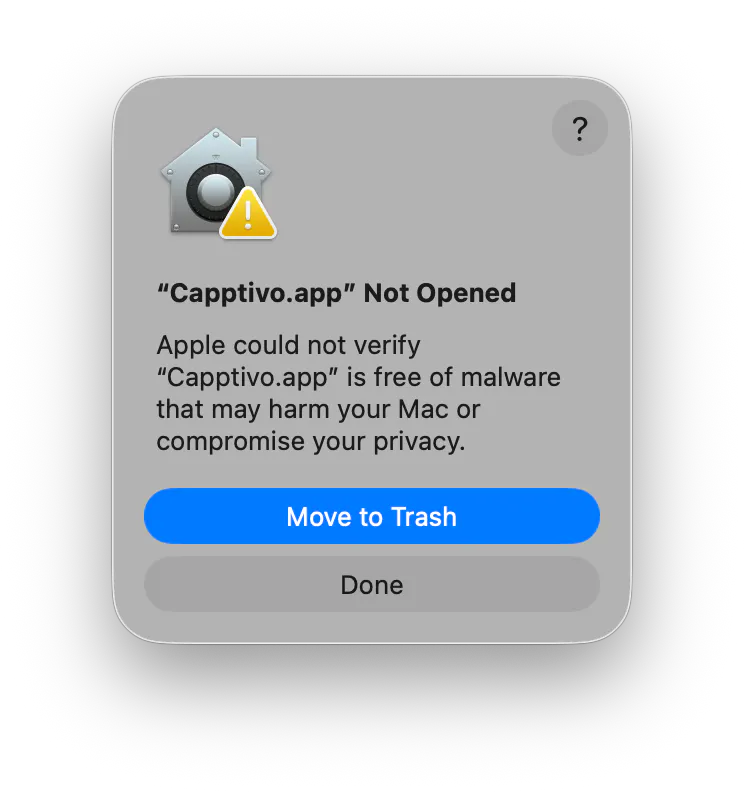
I tried with my Mac. macOS 26.5.2. After donloading, I try to open and: "Capptivo.app" Not Opened
Apple could not verify
"Capptivo.app" is free of malware that may harm your Mac or compromise your privacy."
I know Apple is very strict, perhaps too much? but I think it is important to polish this security issues first. We, the users, cannot know all those details, what is right and what is wrong and in case of doubt we trust Apple first. This is what we know is always in our side.
About Capptivo on Product Hunt
“Free open-source screen recorder & demo editor”
Capptivo launched on Product Hunt on August 2nd, 2026 and earned 359 upvotes and 59 comments, earning #2 Product of the Day. Capptivo is a free, open-source screen recorder and demo editor for macOS, Windows, and Linux. Record locally, add follow-cursor zooms, polish the look, burn on-device captions, and export, no account, no subscription. Give your demos the spotlight they deserve.
Capptivo was featured in Open Source (69k followers), Developer Tools (522.6k followers), GitHub (41.5k followers) and Video (2.1k followers) on Product Hunt. Together, these topics include over 150.8k products, making this a competitive space to launch in.
Who hunted Capptivo?
Capptivo was hunted by abdessamad. A “hunter” on Product Hunt is the community member who submits a product to the platform — uploading the images, the link, and tagging the makers behind it. Hunters typically write the first comment explaining why a product is worth attention, and their followers are notified the moment they post. Around 79% of featured launches on Product Hunt are self-hunted by their makers, but a well-known hunter still acts as a signal of quality to the rest of the community. See the full all-time top hunters leaderboard to discover who is shaping the Product Hunt ecosystem.
Want to see how Capptivo stacked up against nearby launches in real time? Check out the live launch dashboard for upvote speed charts, proximity comparisons, and more analytics.

 abdessamad