This product was not featured by Product Hunt yet. It will not be visible on their landing page and won't be ranked (cannot win product of the day regardless of upvotes).
Product upvotes vs the next 3
Waiting for data. Loading
Product comments vs the next 3
Waiting for data. Loading
Product upvote speed vs the next 3
Waiting for data. Loading
Product upvotes and comments
Waiting for data. Loading
Product vs the next 3
Loading
Grok × Canva Infographic System
Turn raw text into zero-crop X infographics in 3 mins
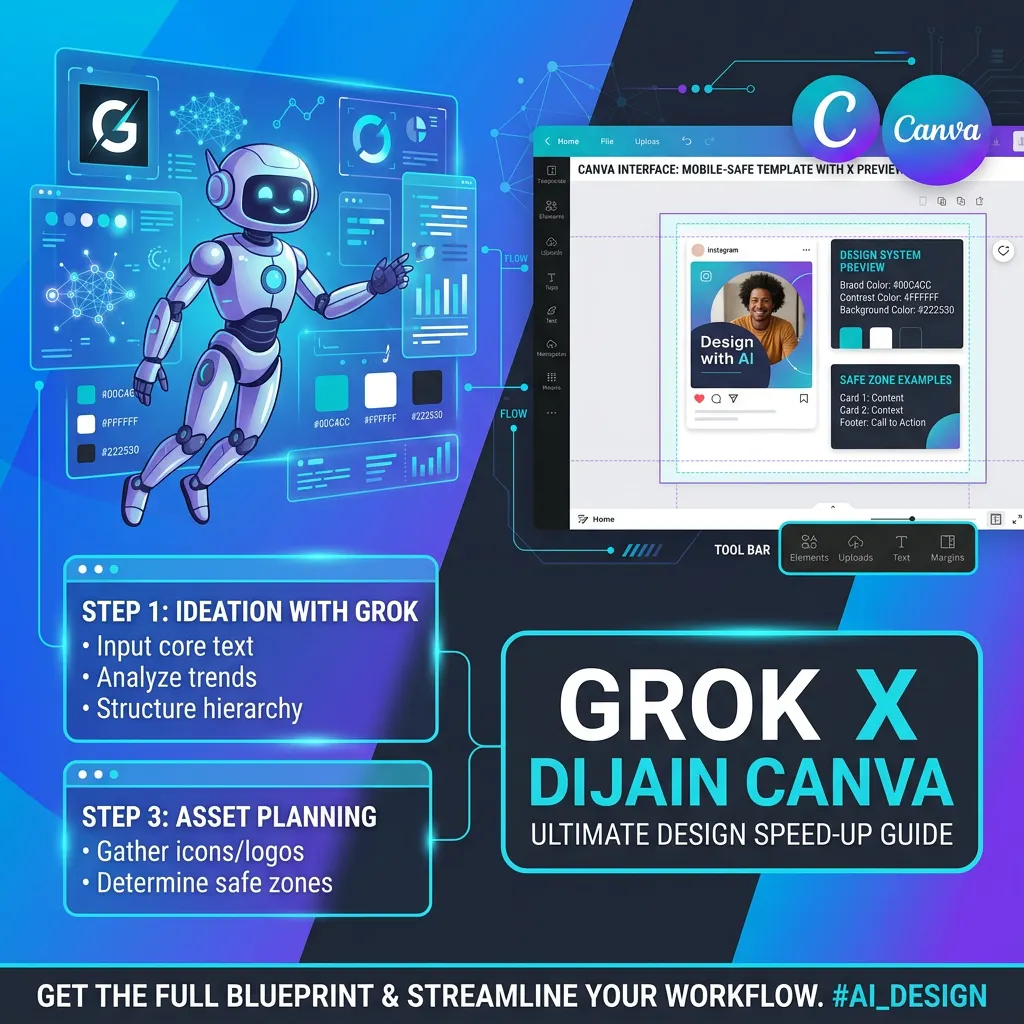
Stop losing X engagement to text-clipping & long design hours Grok × Canva Infographic System is a proven framework that pairs Grok as your AI Art Director with Canva as your rapid execution assistant. Build viral, mobile-perfect visuals in 3 minutes • Zero-Clipping Safe Zone: Pre-set template rules to eliminate cropped text on mobile feeds • Ready-to-Copy Prompts: 5 core layout patterns for instant 10-second Grok directing • 3-Min Workflow: Turn raw post text into high-converting X infographics
I’m super excited to launch the Grok × Canva Infographic System today!
As an X creator, I kept running into the same frustrating cycle: plain text posts get ignored on the feed, but creating professional infographics was taking me over an hour per image. To make matters worse, half the time my graphics had text cut off on mobile screens.
Generic templates felt unoriginal, and AI image generators often butchered the typography. That's when I realized the magic combination: using Grok as an "AI Art Director" (for structure & layout logic) and Canva as a "Production Assistant" (for quick visual assembly inside a zero-clip Safe Zone).
With this framework, you can turn raw post text into high-converting, mobile-perfect X infographics in under 3 minutes.
Inside this blueprint:
- Complete Canva Safe Zone Template setup guide
- 5 Ready-to-copy Grok Prompts for key infographic layouts
- Typography & 3-Color Rule guidelines for instant authority
I’d love for you to give it a try and share your feedback! What’s your biggest bottleneck when creating visual content for social media?
Let me know in the comments below! 🚀
About Grok × Canva Infographic System on Product Hunt
“Turn raw text into zero-crop X infographics in 3 mins”
Grok × Canva Infographic System was submitted on Product Hunt and earned 0 upvotes and 1 comments, placing #226 on the daily leaderboard. Stop losing X engagement to text-clipping & long design hours Grok × Canva Infographic System is a proven framework that pairs Grok as your AI Art Director with Canva as your rapid execution assistant. Build viral, mobile-perfect visuals in 3 minutes • Zero-Clipping Safe Zone: Pre-set template rules to eliminate cropped text on mobile feeds • Ready-to-Copy Prompts: 5 core layout patterns for instant 10-second Grok directing • 3-Min Workflow: Turn raw post text into high-converting X infographics
On the analytics side, Grok × Canva Infographic System competes within Productivity, Social Media and Artificial Intelligence — topics that collectively have 1.2M followers on Product Hunt. The dashboard above tracks how Grok × Canva Infographic System performed against the three products that launched closest to it on the same day.
Who hunted Grok × Canva Infographic System?
Grok × Canva Infographic System was hunted by Miko Shiraka. A “hunter” on Product Hunt is the community member who submits a product to the platform — uploading the images, the link, and tagging the makers behind it. Hunters typically write the first comment explaining why a product is worth attention, and their followers are notified the moment they post. Around 79% of featured launches on Product Hunt are self-hunted by their makers, but a well-known hunter still acts as a signal of quality to the rest of the community. See the full all-time top hunters leaderboard to discover who is shaping the Product Hunt ecosystem.
For a complete overview of Grok × Canva Infographic System including community comment highlights and product details, visit the product overview.

 Miko Shiraka
Hey Product Hunt! 👋
I’m super excited to launch the Grok × Canva Infographic System today!
As an X creator, I kept running into the same frustrating cycle: plain text posts get ignored on the feed, but creating professional infographics was taking me over an hour per image. To make matters worse, half the time my graphics had text cut off on mobile screens.
Generic templates felt unoriginal, and AI image generators often butchered the typography. That's when I realized the magic combination: using Grok as an "AI Art Director" (for structure & layout logic) and Canva as a "Production Assistant" (for quick visual assembly inside a zero-clip Safe Zone).
With this framework, you can turn raw post text into high-converting, mobile-perfect X infographics in under 3 minutes.
Inside this blueprint:
- Complete Canva Safe Zone Template setup guide
- 5 Ready-to-copy Grok Prompts for key infographic layouts
- Typography & 3-Color Rule guidelines for instant authority
I’d love for you to give it a try and share your feedback! What’s your biggest bottleneck when creating visual content for social media?
Let me know in the comments below! 🚀